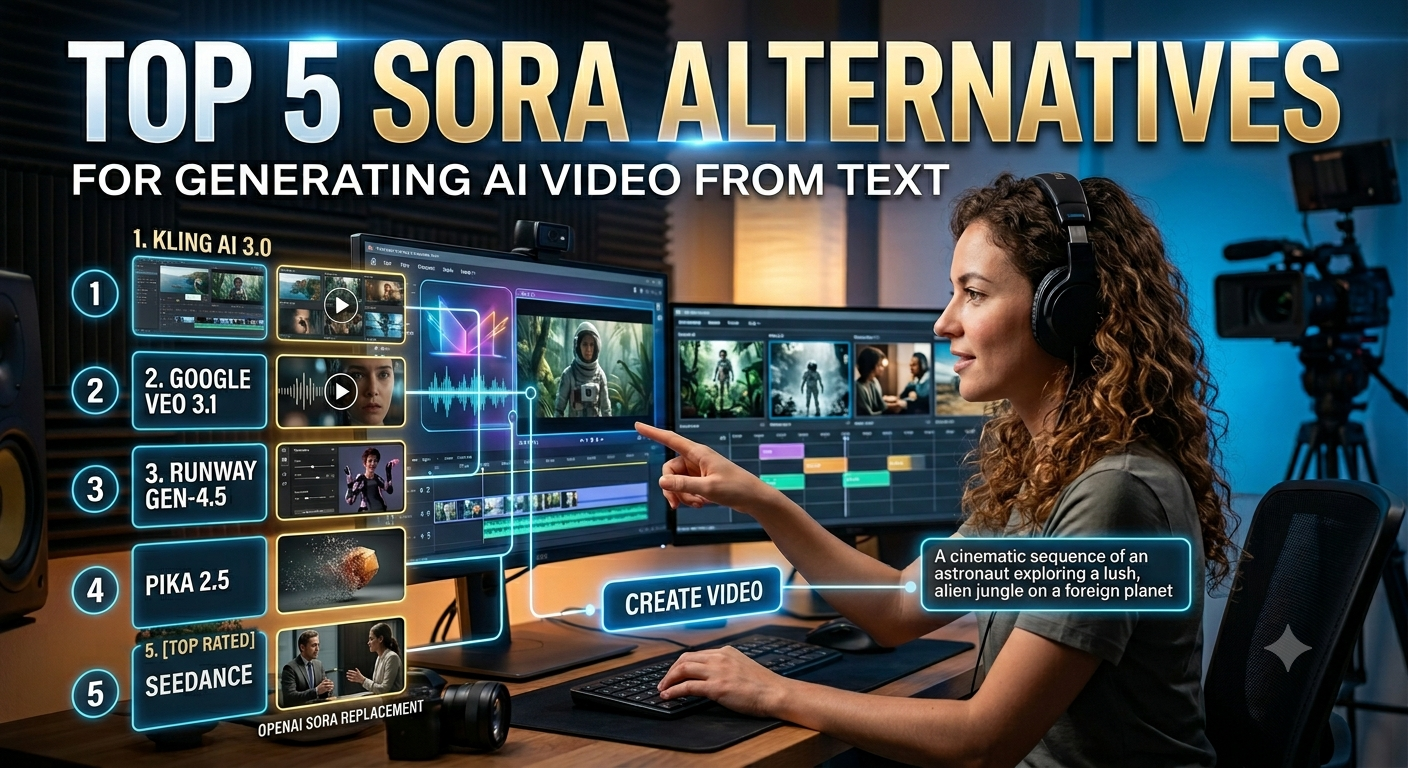
Sora Alternatives for Generating AI Video.If you built your content pipeline around OpenAI’s Sora, you’ve probably already felt the panic: the app and web interface are going fully offline, and the API will follow soon after. I’ve spent the last several weeks stress-testing the field that’s risen to fill the gap, generating hundreds of clips across five platforms to find out which tools actually replace what creators relied on Sora for. The good news is that you don’t just have replacements — in several cases, you have upgrades.
This isn’t a “Sora is dead, panic” post. It’s a working creator’s guide to AI video from text that prioritizes real-world workflow integration, monetization potential, and genuine value for money over marketing hype. Whether you’re producing social hooks, product walkthroughs, or full narrative shorts, one of these five tools will fit your content creation stack better than Sora ever did.
OpenAI’s Sora launched with extraordinary buzz, hitting roughly one million downloads in five days. But the project’s lifespan was short, and OpenAI has now confirmed it is winding the product down, redirecting both engineering resources and remaining user credits elsewhere. If you have content stored inside Sora, you need to export it before the shutdown window closes — after that, there’s no recovery path.
For creators, this isn’t just an inconvenience. It’s a forced migration of an entire workflow: prompt habits, asset libraries, brand consistency settings, and monetization pipelines all need a new home. The tools below aren’t just “similar” to Sora — each one solves a specific limitation Sora had, whether that’s clip length, character consistency, on-screen text legibility, or raw cost efficiency.
1. Kling AI 3.0 — The Most Complete All-Around Replacement
Detailed Overview & Workflow Integration
Kling AI, developed by Kuaishou, released its 3.0 model in early February 2026, and in my testing, it’s the single closest functional match to what Sora delivered — and in several respects, it goes further. Where Kling separates itself architecturally is its Multi-modal Visual Language (MVL) framework, which processes text, image, audio, and video inside one unified model rather than stitching together separate modules. This represents a complete architectural overhaul, generating up to 15-second clips and supporting multi-shot generation with up to 6 cuts in a single prompt, while maintaining character consistency across scenes using its element reference system.
In my actual day-to-day workflow, this means I can describe an entire short sequence — establishing shot, close-up, reaction shot — in one structured prompt, and Kling treats it like a director reading a shot list rather than generating three disconnected clips I’d have to stitch together manually in an editor. That alone saves me 20-30 minutes per project compared to single-shot generators.
Key Unique Features
Native multi-shot storytelling. Kling 3.0 supports multi-shot storytelling up to 6 connected shots, native audio in five languages, and the best on-screen text rendering I’ve tested, with signs, brand logos, and product labels remaining legible throughout generated clips. For e-commerce creators specifically, legible on-screen text is a genuinely massive deal — most competing models still mangle small text into unreadable noise.
Generous daily free tier. Unlike most rivals that give you a one-time credit deposit, Kling refreshes your free allocation daily. This matters enormously for habit-building: I could test prompt variations across multiple days without ever feeling like I was “spending down” a limited trial.
Motion Brush and camera precision. You can compose a base still and then layer motion paths directly on top of it, which gives far more refined control than text-only prompting. Combined with explicit camera-movement instructions, this is the feature set that separates Kling from a simple “type a sentence, get a clip” tool.
Identity and element consistency. Reference images keep characters, props, and brand assets stable across multiple generations — a problem that plagued early-generation AI video and that Sora itself never fully solved.
Pros & Cons
- Pro: Best-in-class text rendering. Brand names, prices, and signage stay legible — a near-unique strength that directly supports product marketing and digital assets built for e-commerce.
- Pro: Daily-refreshing free credits. The free tier provides 66 credits/day with a daily refresh, the most generous structure in this comparison for ongoing experimentation.
- Pro: True multi-shot generation. You’re not stitching clips together in post; Kling plans continuity natively.
- Con: Credit system is genuinely confusing. Costs scale by resolution, audio use, and mode, so your “20 videos a month” estimate can evaporate fast if you’re generating in 1080p with native audio.
- Con: Iteration tax is real. Budgeting on a single-generation basis is unrealistic; expect to spend 3-5x your headline number once you factor in re-rolls to get a usable take.
Pricing Plans & Value for Money
| Plan | Monthly Price | Credits | Best For |
|---|---|---|---|
| Free | $0 | 66/day (no rollover) | Testing prompts, learning the interface |
| Standard | $6.99 (intro) / ~$8.80 renewal | 660/month | Casual creators, watermark removal |
| Pro | ~$25.99–$32.56 | 3,000/month | Regular social and marketing output |
| Premier | ~$64.99 | 8,000/month | Agencies, high-volume production |
| Ultra | ~$127.99 | 26,000/month | Studios with daily output needs |
A realistic budgeting example: a creator publishing 20 final clips per month at 1080p resolution without native audio, accounting for an average of 3 iterations per clip, needs roughly 4,800 credits monthly — putting most active creators comfortably in the Pro tier. If you want native dialogue and ambient sound baked in, budget for the higher-credit modes or pair Kling with a dedicated voice tool for cost control.
2. Google Veo 3.1 (via Flow) — Best for Cinematic Audio-Visual Sync
Detailed Overview & Workflow Integration
Google’s Veo 3.1, accessed through the Flow filmmaking interface, is the tool I reach for when a project absolutely needs synchronized dialogue and ambient sound generated in the same pass as the visuals. One of the standout features is how it handles audio generation — Veo leans further into generating a complete scene in one pass, with audio that feels more tightly synced to the visuals, especially for dialogue and environmental sounds.
In a production pipeline, this collapses what used to be two separate steps (generate video, then layer sound design) into one. For a creator working solo without an audio engineer on staff, that’s a genuine workflow optimization win, not just a nice-to-have.
Key Unique Features
Single-pass audio-visual generation. Dialogue, sound effects, and ambient noise are generated alongside the video rather than bolted on afterward, which means lip-sync and environmental sound timing feel native rather than post-processed.
Cinematography responsiveness. Veo responds better to more technical prompts — camera angles, lighting setups, lens styles — and the results feel more intentional and stylistic compared to other models in this comparison. If you come from a filmmaking background and think in cinematography terms, Veo rewards that vocabulary directly.
Ingredients to Video. You can upload reference images of a character, product, or object, and the model uses them as a visual anchor across different scenes and camera angles — including consistent facial features and clothing — which makes coherent multi-scene narratives possible without manual compositing.
Tight Google ecosystem integration. Access flows directly through the Gemini app, meaning if you’re already inside Google Workspace for scripting and planning, there’s zero context-switching to start generating.
Pros & Cons
- Pro: Unmatched audio-visual realism. For dialogue-heavy or ambient-sound-dependent projects, no other tool in this list matches the native sync quality.
- Pro: Strong prompt fidelity. Technical camera and lighting instructions translate accurately into output, which appeals to creators with a filmmaking vocabulary.
- Con: Short clip ceiling. Each generation caps at roughly 8 seconds, so anything longer requires chaining multiple generations — doubling your cost and adding continuity risk.
- Con: Free tier is thin. The no-subscription allotment is genuinely too small for sustained production; you’ll hit the wall within your first session or two.
Pricing Plans & Value for Money
| Plan | Monthly Price | Credits | Approx. Output |
|---|---|---|---|
| Free (Gemini app) | $0 | ~100 credits/month | A handful of Lite-tier clips |
| Google AI Pro | $19.99 | 1,000 credits/month | ~100 Lite, ~50 Fast, or ~10 Quality videos |
| Google AI Ultra | $249.99 | 25,000 credits/month | ~5,000 Lite, ~2,500 Fast, or ~250 Quality videos |
Google AI Pro at $19.99/month includes 1,000 Flow credits each month, enough for roughly 100 Veo 3.1 Lite, 50 Veo 3.1 Fast, or 10 Veo 3.1 Quality videos, depending on which tier you choose per generation. The value calculus here is straightforward: Pro is reasonable for moderate, consistent use, but Ultra’s $249.99 price tag only makes sense if you’re also leveraging Gemini’s broader AI Pro ecosystem rather than using Flow as a standalone video tool.
3. Runway Gen-4.5 — Best for Creative Editing Control
Detailed Overview & Workflow Integration
Runway pioneered the modern AI video category, and Gen-4.5 remains the tool I open when a project needs more than generation — when it needs genuine editing. Runway offers text-to-video, image-to-video, inpainting, motion transfer, and real-time webcam effects, and is especially strong for iterative design, letting you generate variations quickly and tweak them directly in the interface.
This matters for a specific kind of workflow: agency and freelance work where a client wants three visual directions explored before committing. Runway’s interface is built around that exact iteration loop in a way most pure-generation tools aren’t.
Key Unique Features
Aleph video editing. Beyond generation, Runway lets you edit existing footage directly — adjusting elements within a shot rather than regenerating the whole clip from scratch, which saves substantial credit spend on minor revisions.
Act-Two performance capture. This feature translates a human performance (your own recorded movement and expression) onto a generated character, which is invaluable for anyone doing presenter-adjacent or character-driven content without full motion-capture infrastructure.
Multi-model marketplace access. As of 2026, a single Runway subscription unlocks not just Gen-4.5 but also Google Veo, Kling 3.0 Pro, and Seedance models from one dashboard and one credit pool — meaning you’re not locked into Runway’s proprietary model alone.
Industry-grade benchmark performance. Gen-4.5 holds the top position on the Artificial Analysis Text-to-Video benchmark, and Runway’s tools are used in production by Netflix, with formal partnerships including NVIDIA and Lionsgate.
Pros & Cons
- Pro: Best editing suite in this comparison. Aleph and Act-Two genuinely extend the tool past pure generation into a production environment.
- Pro: One subscription, multiple models. The bundled access to Veo and Kling inside Runway’s interface reduces subscription sprawl significantly.
- Con: Credits don’t roll over. Unused monthly credits simply expire, so inconsistent usage patterns waste money.
- Con: Shorter max duration than Kling. Clips top out well under Kling’s multi-minute capability, limiting single-generation use for longer-form content without chaining.
Pricing Plans & Value for Money
| Plan | Monthly Price (Annual) | Credits | Approx. Output |
|---|---|---|---|
| Free | $0 | 125 one-time | ~5 seconds of Gen-4.5 |
| Standard | $12 | 625/month | ~25 seconds of Gen-4.5 |
| Pro | $28 | 2,250/month | ~90 seconds of Gen-4.5 |
| Max/Unlimited | $76 | 9,500/month | ~380 seconds of Gen-4.5 |
Every paid plan from Standard upward includes Gen-4.5, Gen-4, Act-Two, Aleph, Workflows, Veo 3 and 3.1, all third-party video models including Seedance 2.0 and Kling 3.0 Pro, watermark removal, and unlimited video editor projects. That bundled access alone often justifies Pro at $28/month if you’d otherwise be paying for two or three separate subscriptions.
4. Pika 2.5 — Best for Stylized, Fast Social Content
Detailed Overview & Workflow Integration
Pika doesn’t chase photorealism, and that’s deliberate. While Sora was focused on photorealism, Pika leans into “Pikaffects,” physics-based animations like melting, crushing, or inflating objects — perfect for scroll-stopping social media hooks. In my workflow, Pika is the tool I open specifically for the first three seconds of a TikTok or Reel — the hook that needs to be visually surprising rather than cinematically accurate.
For creators chasing engagement metrics over production polish, this is a meaningfully different value proposition than the other four tools in this list, and one worth taking seriously rather than dismissing as a novelty.
Key Unique Features
The Pikaffects library. Branded, physics-defying transformations — melt, crush, inflate, explode — that no competitor replicates with the same polish or speed.
Pikadditions and Pikaswaps. Insert characters or objects into real footage, or replace existing objects in a scene, without rebuilding the whole shot from a text prompt.
Pikaframes interpolation. Set a start frame and an end frame, and Pika generates the motion between them — useful for precise transitions that pure text prompting struggles to control.
Pikaformance lip-sync. Audio-driven lip-sync functionality that’s improved substantially, making Pika viable for short character-dialogue clips, not just silent effect-driven content.
Pros & Cons
- Pro: Fastest, most distinctive creative effects in the category. Nothing else replicates the Pikaffects library’s specific viral appeal.
- Pro: Genuinely usable free tier. Daily credit refresh structure means you can test consistently without a one-time allowance running dry.
- Con: Shortest clip length here. Maximum durations sit well below Kling, Runway, or Veo, making Pika unsuitable as a sole tool for longer narrative work.
- Con: Standard tier lacks commercial rights. You need at least the Pro tier to legally use output in client work or paid advertising — an easy budgeting trap for freelancers.
Pricing Plans & Value for Money
| Plan | Monthly Price (Annual) | Credits | Commercial Rights |
|---|---|---|---|
| Basic (Free) | $0 | 80/month | No |
| Standard | $8 | 700/month | Limited |
| Pro | $28 | 2,300/month | Yes |
| Fancy | $76 | 6,000/month | Yes |
Pro at $28/month annual billing is where Pika actually functions as a production tool, with 2,300 credits enough for roughly 57 clips at 1080p, plus full commercial usage rights and watermark-free exports. For budget-conscious creators producing personal or non-monetized content, Standard is genuinely usable — just be aware it’s effectively a higher-credit free tier rather than a client-ready plan.
Step-by-Step: How to Migrate Your Sora Workflow Successfully
- Export everything from Sora immediately. Don’t wait — once the shutdown window closes, recovery isn’t possible.
- Match the tool to the job, not the brand. Use Kling for multi-shot narrative sequences, Veo for dialogue-heavy scenes needing synced audio, Runway for editing existing footage, and Pika for fast, stylized social hooks.
- Budget for iteration, not single generations. Every tool in this list requires 3-5 attempts per usable clip; factor that multiplier into your monthly credit math before you commit to a tier.
- Front-load your prompts with explicit detail. Camera angle, lighting style, and — critically for Kling — any on-screen text you need rendered, since vague prompts produce vague, unreleasable output.
- Test on the free tier before subscribing. Every platform here offers enough free access to validate output quality against your specific use case before you spend a dollar.
- Diversify rather than commit to one platform. Several creators I know now run a two-tool stack (commonly Kling plus one of Runway or Veo) rather than relying on a single model for every shot type.
Final Verdict: Which Sora Alternative Should You Choose?
There’s no single best replacement — only the best fit for your specific output. Kling AI 3.0 is the most complete all-around Sora replacement for creators who need multi-shot storytelling and legible on-screen text. Google Veo 3.1 wins when synchronized audio and cinematic prompt fidelity matter most. Runway Gen-4.5 is the strongest choice if editing control and a multi-model marketplace fit your production needs, while Pika 2.5 remains unmatched for fast, stylized social hooks.
Start with the free tier of whichever tool matches today’s project, run the iteration math honestly, and build your monetization and content creation strategy around the platform that actually fits your workflow — not the one with the most hype.